Choosing the right Ethernet cable is one of the most important decisions when building a fast and stable network. Whether you are setting up a home network, office LAN, gaming room, surveillance system, smart home, or data center, the cable category you choose will directly affect your internet speed, latency, bandwidth, reliability, and long-term performance.
Today, there are four main Ethernet cable categories widely used in real-world installations: Cat5, Cat5e, Cat6, and Cat6a. Each category comes with different performance levels, shielding structures, transmission frequencies, and recommended applications. If you choose a cable that is too low, it will bottleneck your network. If you choose a cable that is too high, you may waste unnecessary budget.
This guide provides a complete, beginner-friendly yet professional explanation of the differences between Cat5, Cat5e, Cat6, and Cat6a. We will help you decide which Ethernet cable is best for your needs, and how to build a network that is high-performing, cost-efficient, and future-proof.
1. What Is an Ethernet Cable? Why Does It Matter?
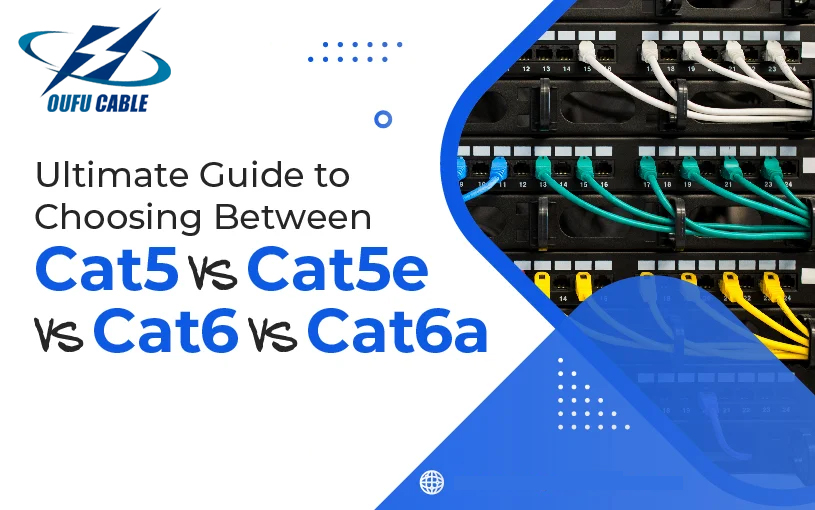
An Ethernet cable, also known as a network cable, LAN cable, or RJ45 cable, is used to connect devices such as computers, routers, network switches, IP cameras, access points, gaming consoles, and servers to create a wired network.
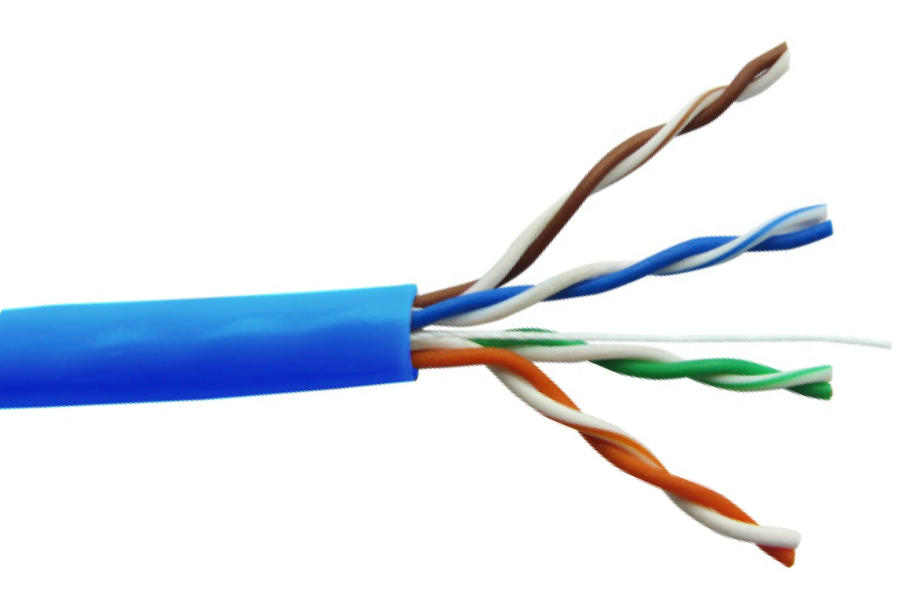
Today’s most common Ethernet cables are made of twisted-pair copper wires, designed to reduce electromagnetic interference and deliver high-speed data transmission.
Choosing the correct category affects:
- Maximum Ethernet speed (100Mb/1Gb/10Gb)
- Bandwidth capacity (100–500 MHz)
- Signal stability over long distances
- PoE (Power over Ethernet) performance
- Lifespan and long-term upgrade potential
Because WiFi still has limitations such as latency, signal loss, and instability over long distances, wired Ethernet remains the fastest and most reliable connection for businesses, streaming, gaming, and professional environments.
2. Ethernet Cable Categories at a Glance
Below is a quick overview before diving deeper.
| Cable | Max Speed | Frequency | Distance | Typical Use |
|---|---|---|---|---|
| Cat5 | 100 Mbps | 100 MHz | 100m | Legacy networks |
| Cat5e | 1 Gbps | 100 MHz | 100m | Basic home / office |
| Cat6 | 1 Gbps (100m) / 10 Gbps (55m) | 250 MHz | 55–100m | Modern homes, offices |
| Cat6a | 10 Gbps | 500 MHz | 100m | Enterprise, data centers |
3. Cat5 Ethernet Cable — The Outdated Standard
Cat5 was once the standard Ethernet cable for home and small-office networks. Today, it is considered outdated, because it only supports:
- 100 Mbps speed
- 100 MHz bandwidth
Cat5 lacks modern crosstalk suppression and does not guarantee gigabit performance. It is rarely used in new network installations.
When is Cat5 acceptable?
- Only for repairing old networks
- Low-speed DSL connections below 100 Mbps
- Non-critical office devices
Why Cat5 is no longer recommended
- Cannot support 1 Gbps networks
- Poor performance against interference
- Cannot support high-speed routers or Wi-Fi 6 / Wi-Fi 7 backhaul
If you are installing a new network, do not choose Cat5 anymore.
4. Cat5e Ethernet Cable — The Minimum Standard Today
Cat5e (“Enhanced Cat5”) is currently the most widely used Ethernet cable worldwide. It supports:
- 1 Gbps speed
- 100 MHz bandwidth
- Up to 100m transmission distance
- Good crosstalk reduction compared to Cat5
Cat5e is cost-effective and flexible, making it ideal for:
- Home networks
- Small office networks
- Network printers
- IP cameras (PoE 15W–30W)
- Streaming & basic gaming
Advantages of Cat5e
- Affordable
- Supports full Gigabit speed
- Very flexible and easy to install
- Works well for VoIP, CCTV, smart home
Limitations of Cat5e
- Cannot handle 10 Gbps speeds
- Not ideal for high-interference environments
- Lower shielding options compared to Cat6/Cat6a
Cat5e is still a good option for budget-sensitive installations, but not the best for future-proofing.
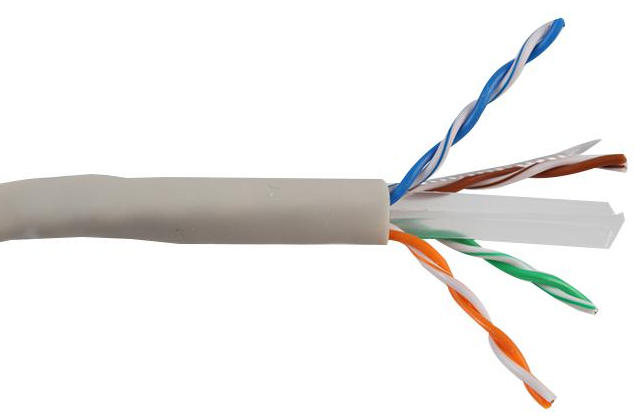
5. Cat6 Ethernet Cable — The Best Choice for Most Users
Cat6 is the next-generation improvement over Cat5e and provides:
- 1 Gbps up to 100 meters
- 10 Gbps up to 55 meters
- 250 MHz bandwidth
- Better insulation and thicker copper
- Much lower crosstalk & noise interference
Cat6 is considered the ideal balance between performance and cost.
Perfect for:
- New home networks
- Gaming rooms / eSports
- 4K/8K streaming
- Small to medium businesses
- Smart office installations
- PoE+ (up to 30W) and PoE++ (up to 60W)
Advantages of Cat6
- Higher bandwidth for future devices
- Supports 10 Gigabit networks at short distances
- Available in shielded (STP/FTP) options
- Ideal for WiFi 6 & WiFi 7 routers
Limitations
- Slightly more expensive than Cat5e
- Slightly thicker & less flexible
For 80% of modern installations, Cat6 is the best choice.
6. Cat6a Ethernet Cable — The Future-Proof High-Performance Standard
Cat6a (“Augmented Cat6”) is a powerful upgrade offering:
- Full 10 Gbps at 100 meters
- 500 MHz bandwidth
- Heavy-duty shielding
- Excellent noise resistance
Cat6a is significantly thicker and heavier, but delivers unmatched stability in complex environments.
Best for:
- Large commercial buildings
- Server rooms & data centers
- 4K/8K IP camera systems
- PoE++ high-power equipment
- High-density WiFi 6/7 access points
Advantages of Cat6a
- True 10Gbps over long distances
- Very low crosstalk
- Future-proof for next 10–15 years
Disadvantages
- More expensive
- Harder to bend and install
- Requires professional termination in some cases
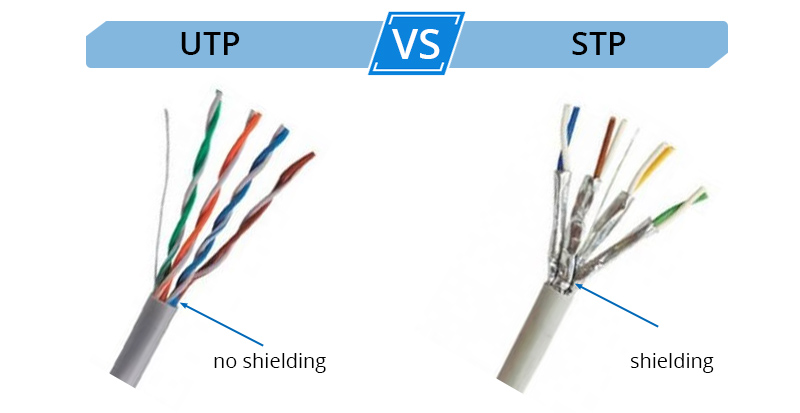
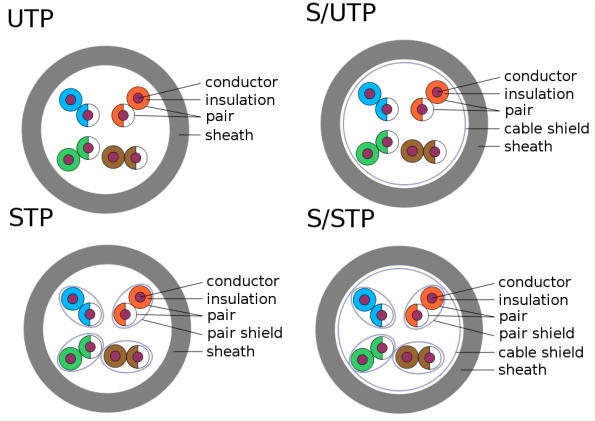
7. Shielding Types (UTP vs FTP vs STP vs SFTP)
Ethernet cables come with different shielding structures:
| Type | Full Name | Protection Level | Use Case |
|---|---|---|---|
| UTP | Unshielded Twisted Pair | Low | Homes, offices |
| FTP | Foiled Twisted Pair | Medium | CCTV, PoE networks |
| STP | Shielded Twisted Pair | High | Factories, EMI areas |
| SFTP | Shielded + Foiled | Very High | Data centers |
If your network runs near:
- Power cables
- Motors
- Elevators
- Heavy machinery
Then shielded Ethernet cables are essential.
8. Which Ethernet Cable Should You Choose? (Final Recommendation)
Basic Home Use
→ Cat5e or Cat6
Gaming / 4K Streaming
→ Cat6
Small Business
→ Cat6 or Cat6a
New Home Renovation / Future Proofing
→ Cat6a
High-Speed Enterprise / 10Gb Networks
→ Cat6a
Security Cameras (PoE / PoE+)
→ Cat5e for basic
→ Cat6/Cat6a for 4K cameras or long distances
Industrial Environment
→ Cat6a shielded
9. Frequently Asked Questions
1. Is Cat6 better than Cat5e?
Yes. Cat6 provides higher bandwidth, better shielding, and supports 10Gbps for shorter distances.
2. Can I use Cat6 with older routers?
Yes. Ethernet cables are backward compatible.
3. Is Cat6a worth it for a home?
If you want true future-proofing or plan to use 10Gbps equipment soon, yes.
4. Does Ethernet cable length affect speed?
Yes — performance drops beyond 100 meters.
5. Is shielded cable better?
Shielded cable is better only in high-EMI environments; otherwise UTP is fine.