Ethernet cable is a common type of network cable used to connect devices such as computers, routers, and switches in a wired local area network (LAN). Almost all homes and offices utilize ethernet cables to get data delivered quickly and maintain reliable connections. These cables have different iterations like Cat5e, Cat6, and Cat7 that have different speeds and ranges. Many people select ethernet when they desire less lag and fewer dropped signals than Wi-Fi provides. Maintaining a reliable connection assists with work, gaming, and streaming. The right cable can really impact how quickly files load and how clear calls sound. In this post, I’ll demystify what makes each type special and guide you toward what fits best.
Ethernet cables are a solid and dependable method of connecting devices and offer high-speed data transfer, which is perfect for gaming, streaming, and business needs.
Knowing the differences between cable categories like Cat5e, Cat6, and Cat7 allows you to select the appropriate cable for your speed requirements and network setup. This provides future-proof performance.
Ethernet cables come in different quality builds, including shielded, unshielded, and various lengths. All of these factors affect data speed, signal reliability, and ultimately network efficiency.
Wired connections are more secure and less prone to interference than WiFi, so they’re a good option for situations where privacy and reliability are important.
Right installation and some neat cable management can avoid those annoyances and prolong the life of your ethernet cables. This will save you time and energy in the future.
Eco footprint and certification: Choosing environmentally responsible Ethernet cables not only supports sustainability but may guarantee your investment in safe, quality products.
What is an Ethernet Cable?
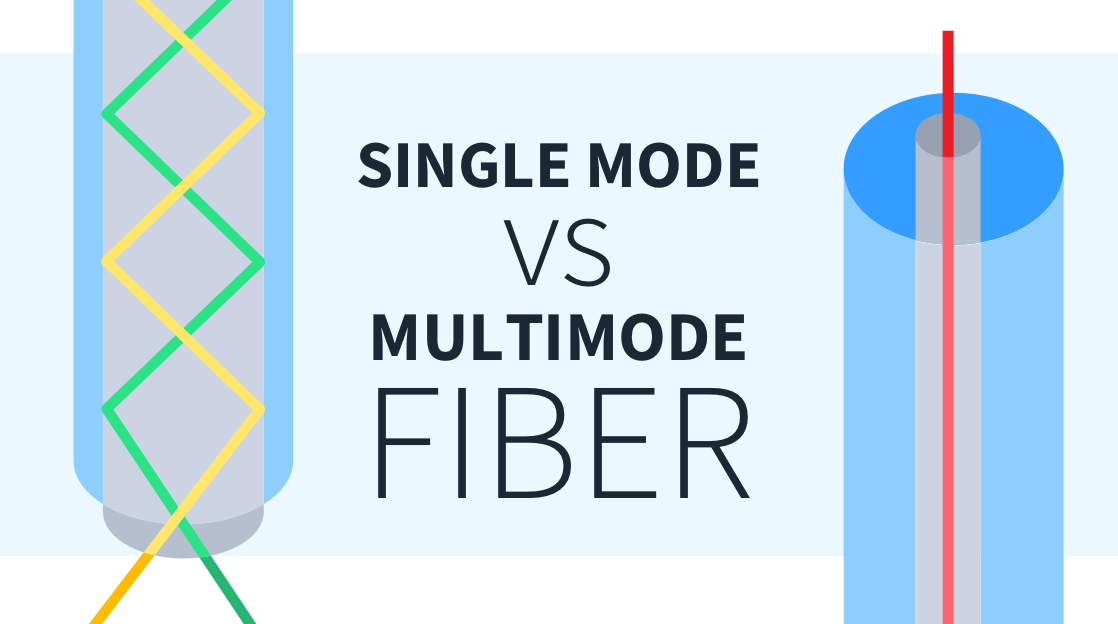
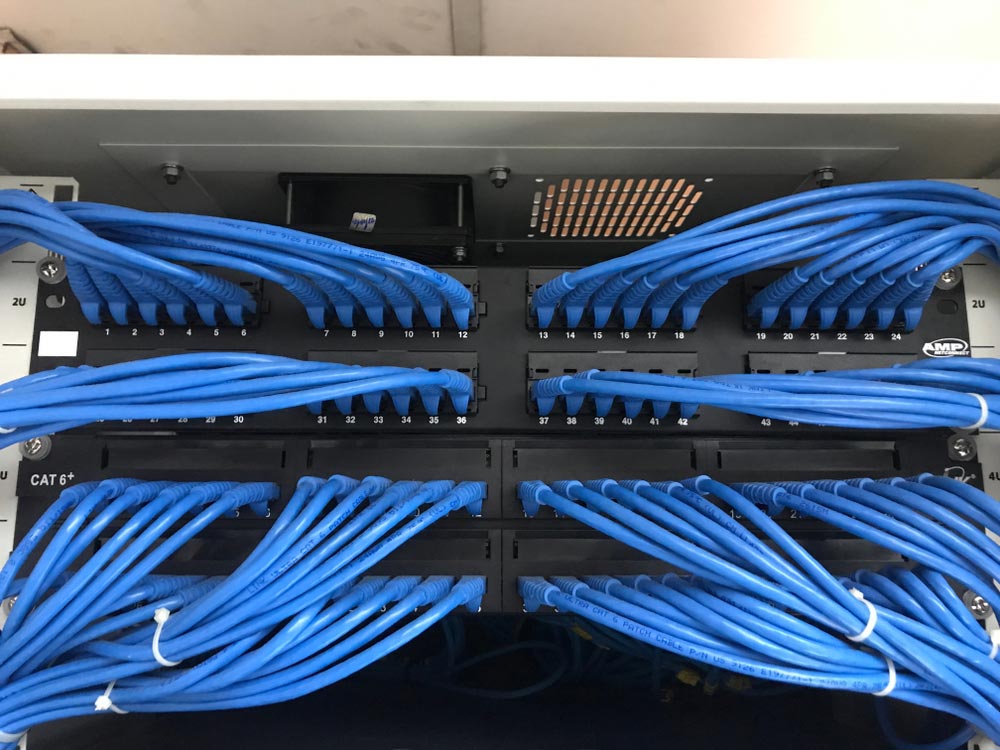
An Ethernet cable is a wired option for connecting devices to a local network or LAN, making it essential for high-performance setups. It allows computers, printers, routers, and switches to communicate with each other by sending data back and forth at high speeds. Most people recognize Ethernet cables by their thick, usually blue or gray casing and the distinct click of the RJ45 connector locking into place. You’ll find them in homes, offices, and even in campsites where the internet connection is a necessity. In this case, the cable can run up to 90 meters before signal loss becomes a problem, making it practical for most rooms and buildings. Twisted pair, coaxial, and fiber-optic are the main types, with twisted pair being the go-to for most modern LAN setups, ensuring stability and performance characteristics.
1. The Core Function
Ethernet cables are the workhorses shuttling packets across networks, serving as essential high-performance products that transport data to and from routers, switches, computers, and other devices. The bandwidth of a cable, which determines how many megabits per second (Mbps) or gigabits per second (Gbps) it can carry, plays a crucial role in how fast data flows. This is particularly important when streaming HD video or transferring large files. Ethernet cables not only link individual devices but also entire clusters, ensuring network harmony both locally and on the wider web, showcasing their significant sustainability features.
2. The Physical Build
The internals of an Ethernet cable are a combination of pure bare copper wires, insulation, and protective jackets. Solid copper wires provide steadier signals over long runs, which is essential for high-performance setups, whereas stranded wires deal better with bending and movement, making them ideal for shorter or flexible installations. RJ45 connectors, known as 8P8C modular connectors, are the standard for Ethernet and click firmly into ports to form a reliable bond. They come in round and flat shapes, each working for different spaces, with flat cables sliding under carpets and round ones being perfect for most wall or ceiling runs.
3. The Data Transfer
Data moves through Ethernet cables by converting digital signals into electrical impulses. Speeds can vary from 1 Mbit per second in its earliest iterations up to 400 Gbit per second among advanced fiber choices. Cable quality is crucial, especially when using high-performance options like Cat6 or Cat7a cables, which transmit data faster and further than older Cat5e models. Each Ethernet packet acts like a sealed envelope that contains and shields data until it reaches the proper address on your network.
4. The Universal Connector
The RJ45 connector is the universal Ethernet plug used everywhere, particularly in high-performance setups. It works with virtually any current network hardware, including trusted certifications for sustainability features. Its structure prevents loose connections and maintains the purity of the signal, ensuring that products like the Monoprice Cat5e patch cable deliver stability and performance across your network.
Ethernet Cable vs. WiFi
Ethernet Cable vs. WiFi Both Ethernet cables and WiFi allow you to access the internet, but each does so in its own way with its own advantages. Knowing these differences is useful when you want the ultimate in speed, reliability, and safety for your setup.
Speed
Ethernet cables can achieve speeds up to 10 Gbps with Cat6a or Cat7 on shorter runs, while even the ordinary Cat5e can manage 1 Gbps. Although WiFi 6 advertises speeds of up to 9,600 Mbps, actual performance often hovers around 1,600 Mbps, especially when multiple devices share the network, leading to significant network congestion. This congestion is a major issue for WiFi, as too many phones, laptops, and smart devices connecting can drastically reduce everyone’s speed. In contrast, Ethernet cables provide each device with its own dedicated lane, eliminating bandwidth competition, which is crucial for high-performance activities like gaming and streaming 4K video. Therefore, selecting the right cable is essential; while Cat5e suffices for most homes, opting for Cat6 or higher ensures you are prepared for future internet speeds.
Reliability
Wired connections are reliable, offering high-performance stability that ensures you don’t experience dropped signals or slowdowns. Unlike WiFi, which can weaken behind thick walls or due to interference from radios and microwaves, Ethernet cables maintain their integrity, making them essential for enterprises and gamers who prioritize performance. This reliability is why many choose products like Monoprice Cat6a cables for advanced setups where maintaining a solid connection is crucial.
Security
Ethernet is inherently more secure, as data travels straight from your device to the router, eliminating airspace for interception. Unlike WiFi, which can be vulnerable, Ethernet requires physical access to a port, ensuring that only trusted devices can connect. This makes high-performance cables, such as those from Netgear, the preferred choice for anyone dealing with confidential information or operating remotely, as they provide stability and security in business networks.
Mobility
Cables translate to less freedom to roam with your device. WiFi allows for mobility, which is perfect for phones, tablets, and laptops. However, when it comes to stationary devices—like desktops, smart TVs, and game consoles—using high-performance Ethernet cables is superior despite the immobility. The trade-off is simple: cables provide reliable speed and fewer problems, while WiFi offers ease at the cost of some reliability.
Faster, more stable speeds for high-demand uses.
Lower latency is 1 to 5 milliseconds for Ethernet and 7 to 25 milliseconds for WiFi.
Fewer slowdowns during busy hours.
Better for fixed devices like desktop PCs and consoles.
It frees up your WiFi for mobile gadgets, making all your devices run better.
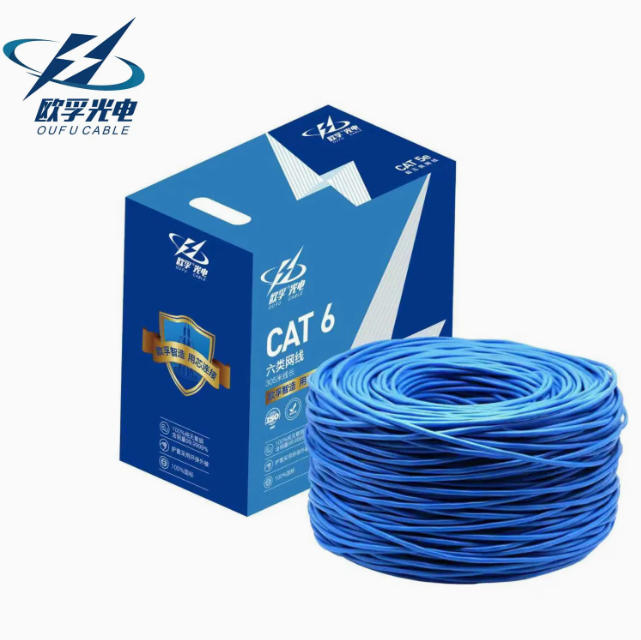
Choose Your Ethernet Cable
ABOUT: SELECT YOUR ETHERNET CABLE It depends on what you require for speed, the distance between devices, and your budget. Understanding various cable categories, including cat6a and cat8, along with shielding features, helps you maximize your high-performance setup.
Cable Category
Cat5e: Handles up to 1 Gbps, 100 MHz. Ideal for everyday home use.
Cat6: Supports up to 10 Gbps, 250 MHz, but only up to 55 meters. Has a plastic spline to help reduce crosstalk.
Cat7: Goes up to 40 Gbps at 50 meters, 600 MHz. Provides robust shielding.
Cat8: Meant for data centers, it supports 25G and 40G over short distances.
Cat5e is okay for basic internet activities, but for gaming, streaming, or large file transfers, Cat6 or above is preferred due to its high-performance characteristics. Cables like Cat6 and up utilize tighter twists and separators, which significantly reduce interference and enhance performance. Furthermore, newer cables are backwards compatible, allowing you to use Cat6 instead of Cat5e. To ensure supply chain sustainability, consider buying the fastest category you can afford to future-proof your setup.
Cable Length
Long cables can drag down your connection and drain signals. Cat6 maintains 10 Gbps up to 55 meters, whereas Cat5e can reach up to 100 meters at 1 Gbps. If you exceed these lengths, speeds decline and errors can occur. Shorter cables work best in small rooms or offices.
Be sure to measure the distance between devices before you purchase. A little extra length is OK, but don’t get crazy. Too much slack makes cables messy and difficult to manage. If you’re going to run cables through walls, check ratings. Plenum and riser types are safer in different building spaces.
Shielding Type
Unshielded cables (UTP) do just fine in most homes or small offices, while shielded cables (STP or FTP) block more electromagnetic interference, which is crucial if you have tons of electronics or thick wiring in the area. For optimal performance, especially in advanced setups like factories, hospitals, or congested server rooms, it’s essential to match the shielding to your space to ensure stability and efficiency.
Budget
Ethernet cables, such as Cat5e, Cat6a, and Cat8, are available at various price points, with Cat5e typically being the cheapest option. However, investing a bit more in high-performance cables like Cat8 can save you from future upgrades. When choosing cables, consider not just the price but also the product reviews and specs. Look for trusted certifications and sustainable manufacturing practices to ensure you’re getting reliable gear that meets your needs without unnecessary costs.
The Unseen Influences
Ethernet cables, often hidden, significantly influence our daily digital existence in ways few recognize. More than just connecting devices, their journey spans from the ocean floor to manufacturing plants, reflecting our choices in supply chain sustainability. These decisions impact not only network speed but also the earth’s destiny, highlighting the importance of sustainable manufacturing practices in our technology.
Environmental Impact
The carbon footprint from manufacturing high-performance Ethernet cables begins with extracting copper and molding plastics, both energy-intensive processes that can emit greenhouse gases. Most factories still rely on fossil power, making every meter of cable significant for the planet. Opting for cables with sustainable manufacturing practices and biodegradable materials is a step in the right direction, though not all brands have these options available yet.
Some brands already utilize plant-based plastics or recycled copper in their cables. These decisions not only reduce their carbon impact but also promote sustainability features. In a market where tens of millions of cables are manufactured annually, choosing greener materials can make a tangible difference. Some makers even participate in “take-back” programs to recycle old cables, effectively keeping them out of landfills.
There are some great green choices. Brands such as Belkin and a few European makers now offer cables with low-tox coatings or recycled cores. These are occasionally more expensive, but they demonstrate that the appetite for green tech is increasing.
Quality Certification
Trusted certifications are important. When a cable bears ISO, TIA, or UL body marks, it means that the cable has undergone rigorous testing and met stringent criteria. These tests measure the quickness, durability, and real-world tension tolerance of the cable.
Certified cables translate to less dropped signals and rock-solid networks. They hold up longer and don’t result in expensive outages as often. Many global buyers now request these certifications prior to making significant purchases, particularly for business or datacenter usage.
Common Myths
Expensive doesn’t necessarily mean faster. Most people think that only fancy cables provide fast speeds, but regular Cat6 cables typically perform as well as their more expensive counterparts in a home or small office environment. Another myth is that cable type alone determines data speed. In fact, installation and maintenance are just as important.
I know, everyone thinks cables go bad quick. Good cables last years if not bent or crushed. Marketing can be deceptive, pushing luxury cables with gold plating or “audiophile” branding. The latter seldom enhances value for the vast majority of users.
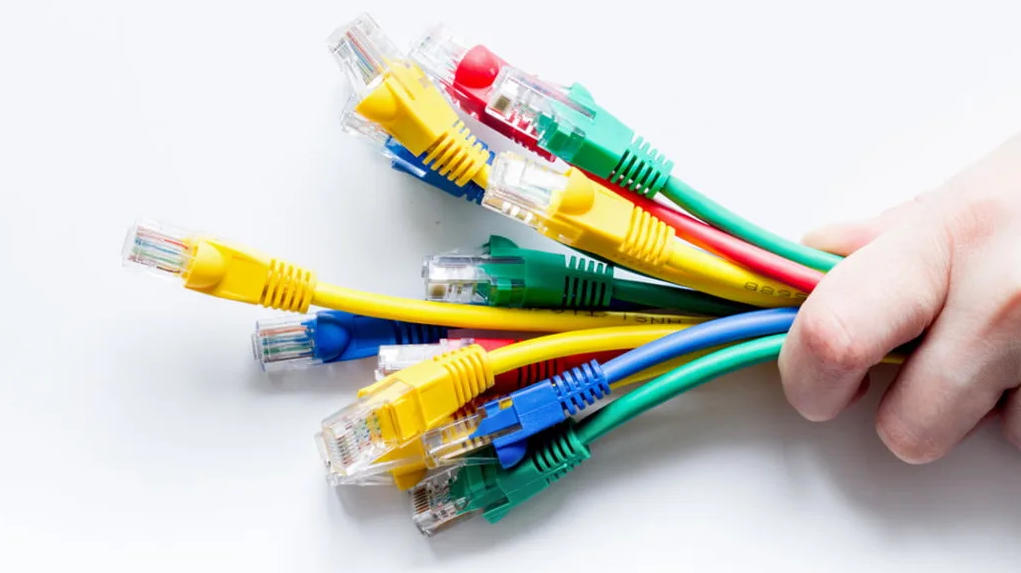
Installation and Troubleshooting
Installing Ethernet cables correctly is essential for achieving high-performance networks, whether in a home office or a large workspace. Proper planning and using quality products like Netgear’s advanced setups can stabilize your network and accelerate troubleshooting, avoiding future headaches.
Best Practices
Map out your cable paths in advance of installation. Measure the distance, test for obstacles, and select the shortest safe route. Try to keep Ethernet cables at least 20 cm from electrical wiring to reduce electromagnetic interference.
Never stress cables by forcing them around sharp corners or allowing them to kink. Sharp bends break the inner copper wires and cause your speed to slow or your connection to drop.
Go with cable trays and conduits to keep it all neat and out of the way. They prevent tangles, safeguard against damage, and simplify upgrades.
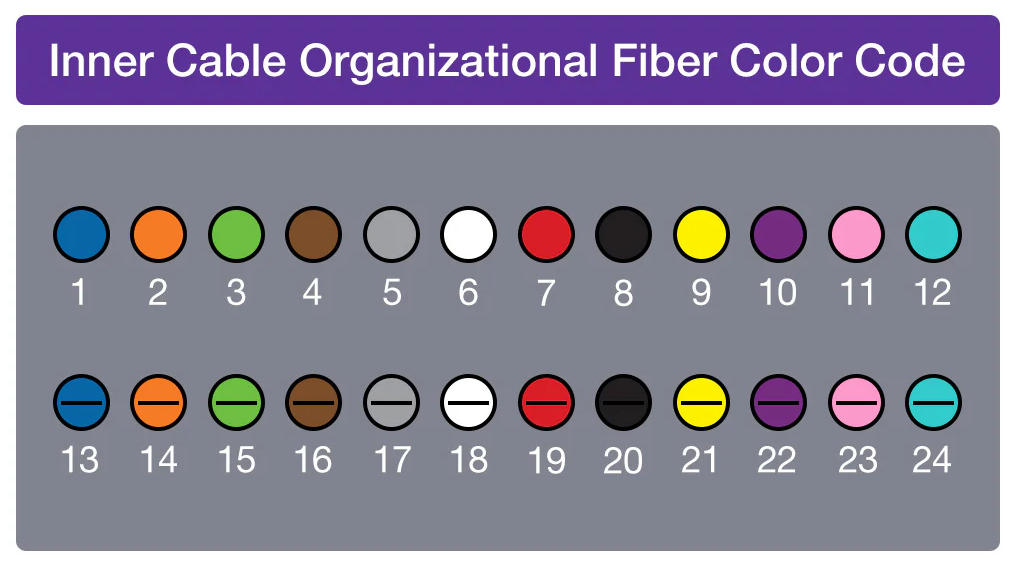
Tag both ends of every cable. A little tag with a number or color code means you won’t be wasting time playing the ‘which cable goes where?’ game in the future.
Common Issues
Loose cables can lead to dropped signals or sluggish speeds, especially when using lower quality products. If a cable is too long or not suited for high-performance setups, the signal may fade before reaching the other end. Symptoms like crackling, random disconnects, or slow downloads can indicate a bad cable. Inspect for frayed ends or bent pins on connectors, as heat and humidity can degrade cable jackets. Upgrading from Cat5e to Cat6 can significantly improve performance characteristics and reduce errors over longer runs.
Simple Fixes
Unplug your device and give it a minute before trying again. At times, this straightforward action clears up connection issues. A cable tester is your best friend for hunting down bad cables, especially when dealing with high-performance products like the Monoprice Cat5e patch cable. Plug them both into the tester to see if any wires have broken or taken a wrong turn into a crossed pair. Inspect all jacks and ports for dust, pin damage, or loose fit. Replace frayed cables immediately and be sure to match the wiring scheme – T568A or T568B – when you install new connectors. If you must run new cable, don’t add slack or loops and utilize a gentle figure ‘8’ to keep lines neat and minimize interference.
The Future of Wired Connections
Ethernet cables have evolved significantly, paving the way for a brighter future. They stay ahead of the rapid-fire new tech and the increasing urgency for speed, power, and sustainability features. While we’re quickly moving to wireless options like 5G, wired connections, particularly those using high-performance Cat 8 cables, play a crucial role in managing the massive data traffic under the hood.
Technology | What It Does | Potential Effect |
|---|---|---|
Category 8 Ethernet | Handles up to 40 Gbps over short distances | Better for data centers and big networks |
400G/800G Ethernet | Moves tons of data much faster | Speeds up cloud and streaming services |
Power over Ethernet (PoE) | Sends power and data through one cable | Less mess, easier setup, lower costs |
Greener cable materials | Uses eco-friendly materials | Cuts waste and energy use |
Advanced fiber optics | Supports speeds above 800 Gbps | Prepares for 6G and future tech |
New standards like 400G and 800G Ethernet are rolling out, and faster speeds are becoming routine. These cables allow enterprises to transfer massive files, power intelligent buildings, and deliver video to millions without buffering. They’re already testing speeds beyond 800 Gbps, which might soon be standard in big data centers or for backbone internet connections. With the introduction of Cat 8 cables, homes and offices can experience these speeds — making downloads, remote work, and gaming a breeze for everyone!
Ethernet matters for more than fast internet. It now supports Power over Ethernet, which allows a single cable to carry both power and data. This is a game changer for smart buildings and IoT, where you want to connect dozens of devices, such as security cameras, lighting, and sensors, without a tangle of cables. Even newer PoE standards can power larger equipment, saving money and making it easy to deploy tech in locations where outlets are scarce.
Despite all the wild excitement over wireless, wired connections aren’t going to disappear. Fifth-generation and upcoming sixth-generation networks require robust, reliable wired backbones to perform. Ethernet remains best for the most rock-solid, consistent speed you require with no dropouts for your video calls, hospitals, or stock trading. With greener, smarter, and faster cables on the horizon, Ethernet will continue its growth spurt, connecting people and businesses in a wired and wireless world.
Conclusion
Ethernet cables keep it easy. Just plug in, get a great connection, and bypass the lag of wireless. Whether gaming, working, or streaming, these cables provide stable speed and fewer drops. I have watched people string pull through walls in schools, shops, or even small flats—no frills, just direct to the destination. Some choose WiFi for convenience, but others stay loyal to cords for reliability. Upgrades and fixes remain simple. There’s not much gear that beats the old cable, a sure thing. To stay ahead of rapid transformation, review your arrangement from time to time. Test out a wired connection if you crave seamless work or gaming. Tell us what’s working for you and trade tips with other students.
Frequently Asked Questions
What is an Ethernet cable used for?
An Ethernet cable, like the cat6a or monoprice cat5e patch cable, links devices such as computers, routers, or switches to a network for high-speed and reliable internet connectivity.
How does Ethernet compare to WiFi?
Ethernet tends to provide faster speeds and lower latency, making it a high-performance choice for advanced setups, offering a more stable connection than WiFi.
Which Ethernet cable should I choose?
Choose your cable based on your speed requirements and performance characteristics. For most applications, Netgear products like Cat5e or Cat6 cables are adequate, providing high-speed performance of up to 1,000 Mbps or higher.
Can an Ethernet cable improve my internet speed?
Yes. Ethernet products can definitely outpace WiFi, especially when you’re gaming or video streaming.
What are common issues with Ethernet cables?
Typical culprits for performance issues are loose or damaged cables, including older generation products that limit speed.
How do I install an Ethernet cable?
Plug one end into your device and the other into a router or switch, ensuring both ends are firmly plugged in for high-performance connectivity.
Is Ethernet still relevant with modern WiFi?
Yes. Ethernet remains relevant for tasks requiring high speed, low latency, and rock-solid reliability, such as online gaming or work, particularly with high-performance products.