In an era dominated by wireless connectivity—from Wi-Fi 6E to 5G—many people overlook the unsung hero of stable, high-speed networking: the LAN cable. Short for Local Area Network cable, a LAN cable is a physical data transmission cable that connects devices within a local network, serving as the backbone of reliable internet access and data transfer for homes, offices, data centers, and industrial environments. While wireless solutions offer convenience, LAN cables remain irreplaceable for scenarios requiring low latency, minimal interference, and consistent performance. This guide breaks down everything you need to know about LAN cables, covering types, specifications, benefits, selection tips, and real-world applications.
What Is a LAN Cable? Definition & Core Function
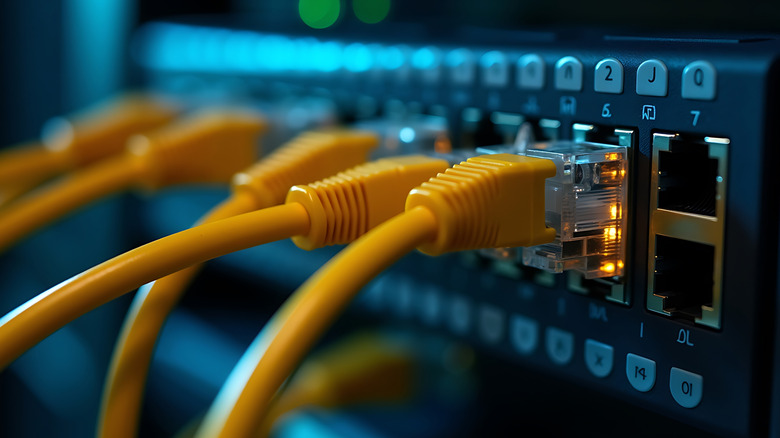
A LAN cable, also commonly referred to as an Ethernet cable, is a physical medium designed to transmit data between devices in a local area network (LAN)—such as computers, routers, switches, servers, printers, and smart devices. Unlike wireless signals that travel through the air, LAN cables use copper conductors (or fiber optics in advanced models) to send data packets directly, ensuring faster speeds, lower latency, and greater security than most wireless alternatives.
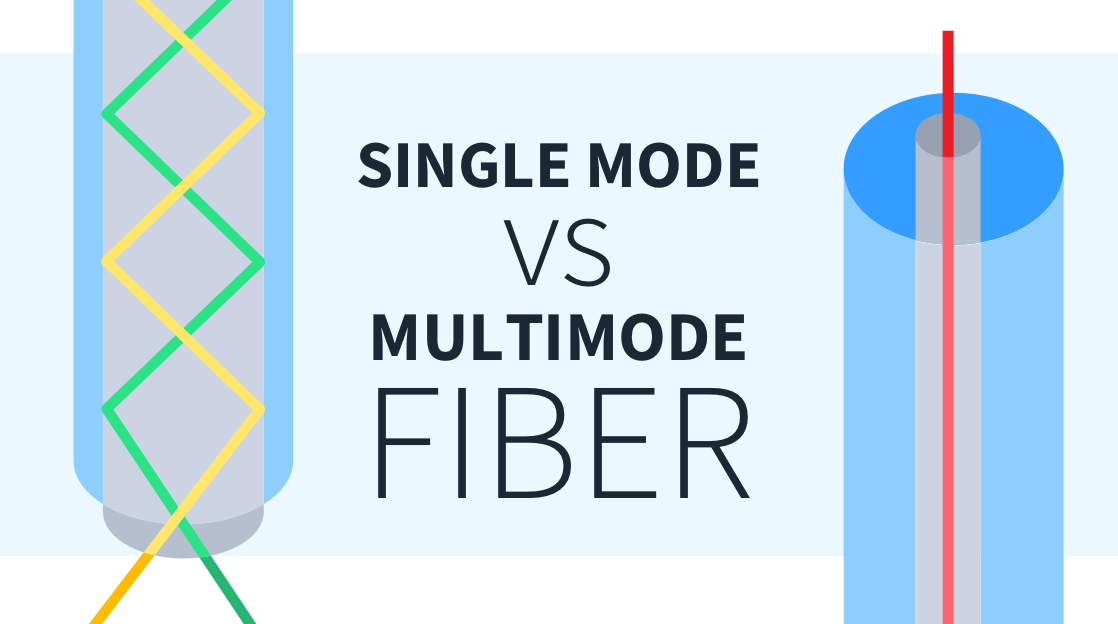
At its core, a standard LAN cable consists of twisted copper pairs (typically 4 pairs, 8 cores total) insulated with a protective sheath, with RJ45 connectors at both ends—these connectors are universal and fit most network ports on modern devices. The twisting of the copper pairs is a key design feature: it reduces electromagnetic interference (EMI) and crosstalk (signal leakage between pairs), which can degrade data transmission quality. While fiber optic LAN cables exist (using light to transmit data), copper-based twisted-pair cables remain the most common due to their affordability and ease of installation.
Types of LAN Cables: Categories & Specifications (2026 Update)
LAN cables are categorized by “Cat” (Category) ratings, which define their performance limits, including maximum bandwidth, data transfer speed, and anti-interference capabilities. Choosing the right category is critical—using an outdated cable can bottleneck your network, while overinvesting in a high-end cable for basic needs wastes money. Below are the most relevant categories in 2026, from entry-level to enterprise-grade:
1. Cat5e (Enhanced Category 5)
Cat5e is the entry-level standard for modern LAN cables, replacing the outdated Cat5. It supports a maximum bandwidth of 100 MHz and data transfer speeds of up to 1 Gbps (Gigabit Ethernet) at a maximum distance of 100 meters. Cat5e features improved twisting and insulation to reduce crosstalk, making it ideal for home networks, small offices, and basic internet usage (e.g., streaming HD video, web browsing, and casual gaming). It’s affordable, widely available, and sufficient for most residential internet plans (up to 1 Gbps), making it the most popular choice for everyday users.
2. Cat6 (Category 6)
Cat6 is a step up from Cat5e, designed for higher-performance networks. It supports a bandwidth of 250 MHz and data speeds of up to 10 Gbps at short distances (up to 55 meters) and 1 Gbps at 100 meters. Cat6 cables include a plastic cross skeleton that separates the four copper pairs, further reducing interference and crosstalk. This makes them suitable for larger offices, home offices with multiple devices (e.g., gaming consoles, 4K TVs, and NAS drives), and small businesses that require consistent, high-speed connectivity. Cat6 is slightly more expensive than Cat5e but offers future-proofing for upcoming internet plans and devices.
3. Cat6a (Augmented Category 6)
Cat6a (Augmented Cat6) addresses the distance limitation of Cat6, supporting 10 Gbps speeds at the full 100-meter distance. It has a bandwidth of 500 MHz and features thicker insulation and improved shielding (some models are STP—Shielded Twisted Pair—to block external interference). Cat6a is ideal for enterprise environments, data centers, and large homes with long cable runs (e.g.,别墅 or multi-story buildings). It’s also suitable for applications requiring high-speed data transfer, such as 8K streaming, video editing, and server-to-server communication.
4. Cat7 & Cat8 (High-End Enterprise Grade)
Cat7 and Cat8 are premium LAN cable categories, designed for industrial and enterprise use. Cat7 supports a bandwidth of 600 MHz and data speeds of up to 40 Gbps at 100 meters, with full shielding (each pair and the entire cable are shielded) to eliminate interference. Cat8 is the latest standard, supporting a bandwidth of 2000 MHz and speeds of up to 40 Gbps (or 100 Gbps at short distances), making it ideal for data centers, supercomputers, and high-frequency trading environments. These cables are rarely used in homes or small offices due to their high cost, but they are critical for large-scale, high-performance networks.
Shielded vs. Unshielded LAN Cables
In addition to category ratings, LAN cables are divided into two types based on shielding: UTP (Unshielded Twisted Pair) and STP (Shielded Twisted Pair). UTP cables (e.g., most Cat5e and Cat6) have no additional shielding, making them cheaper and more flexible—ideal for home and office environments with minimal interference. STP cables have a metal shield (foil or braided) around the copper pairs, protecting against EMI from other electronics (e.g., power cables, motors) and crosstalk. STP is recommended for industrial settings, data centers, or areas with high electromagnetic interference.
Key Benefits of Using LAN Cables (vs. Wireless)
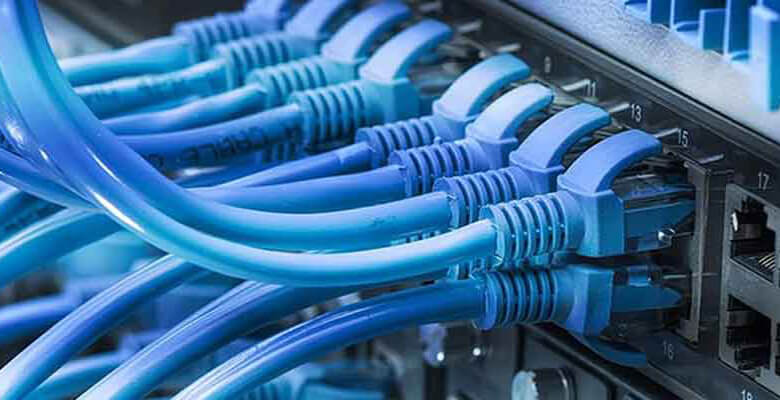
While wireless connectivity is convenient, LAN cables offer several irreplaceable advantages that make them essential for many scenarios—especially for users who prioritize performance and reliability. Here are the top benefits of using LAN cables in 2026:
1. Faster, More Consistent Speeds
LAN cables deliver faster, more stable speeds than Wi-Fi. Even the entry-level Cat5e supports 1 Gbps, which matches most residential and small business internet plans. In contrast, Wi-Fi speeds are often reduced by distance, walls, and interference—even Wi-Fi 6E can struggle to maintain 1 Gbps speeds at a distance of 10 meters. For activities like 4K/8K streaming, online gaming, video editing, and large file transfers, LAN cables ensure that you get the full speed of your internet plan without lag or buffering.
2. Lower Latency & No Packet Loss
Latency (the time it takes for data to travel from one device to another) is critical for real-time applications like online gaming, video conferencing, and live streaming. LAN cables have extremely low latency (typically under 10ms), while Wi-Fi latency can fluctuate between 20ms and 100ms due to interference. Additionally, LAN cables have minimal packet loss (data loss during transmission), ensuring that your connection remains stable even during high-traffic periods—something wireless networks often struggle with.
3. Greater Security
Wireless networks are vulnerable to hacking, eavesdropping, and signal theft—anyone within range can attempt to access your network if it’s not properly secured. LAN cables, on the other hand, require physical access to the cable or network port to access the network, making them far more secure. This is especially important for businesses handling sensitive data (e.g., customer information, financial records) and home users who want to protect their personal data from unauthorized access.
4. No Interference
Wi-Fi signals are susceptible to interference from other wireless devices (e.g., routers, Bluetooth devices, microwaves) and physical obstacles (e.g., walls, floors). LAN cables are not affected by these factors—they transmit data directly through copper or fiber, ensuring a consistent connection regardless of your environment. This is particularly useful in industrial settings, where EMI from machinery can disrupt wireless signals, and in dense urban areas with multiple Wi-Fi networks competing for bandwidth.
How to Choose the Right LAN Cable (2026 Buying Guide)
Choosing the right LAN cable depends on your use case, budget, and future needs. Follow these steps to select the perfect cable for your network:
1. Assess Your Internet Speed & Device Needs
Start by checking your internet plan’s speed. If you have a 1 Gbps or lower plan, Cat5e is sufficient for most home and small office use. If you have a 10 Gbps plan, or if you frequently transfer large files (e.g., video editors, gamers), opt for Cat6 or Cat6a. For enterprise or industrial use, Cat7 or Cat8 may be necessary, but these are overkill for most users.
2. Consider the Cable Length
LAN cables have a maximum effective distance: 100 meters for Cat5e, Cat6, and Cat6a (for 1 Gbps speeds), 55 meters for Cat6 (10 Gbps), and 30 meters for Cat8 (40 Gbps). Choose a cable length that’s slightly longer than the distance between your devices (e.g., 5 meters for a router to a desktop), but avoid excessively long cables—signal degradation can occur beyond the maximum distance, leading to slower speeds and packet loss.
3. Decide Between UTP & STP
For most homes and offices, UTP cables are sufficient—they’re cheaper, more flexible, and work well in low-interference environments. If you’re installing cables near power lines, machinery, or other sources of EMI (e.g., industrial settings, server rooms), choose STP cables to prevent interference. Keep in mind that STP cables are slightly more expensive and less flexible than UTP.
4. Prioritize Quality & Durability
Not all LAN cables are created equal. Cheap, low-quality cables may use thin copper conductors or poor insulation, leading to signal loss and shorter lifespans. Look for cables with pure copper conductors (not copper-clad aluminum), thick insulation, and sturdy RJ45 connectors. Reputable brands (e.g., Belkin, Anker, Monoprice) offer high-quality cables that are durable and reliable, even with frequent use.
5. Future-Proof Your Purchase
If you’re planning to upgrade your internet plan or devices in the next 2–3 years, opt for a higher category cable than you currently need. For example, if you have a 1 Gbps plan now but plan to upgrade to 10 Gbps in the future, Cat6a is a better choice than Cat5e—it will support the faster speed without requiring you to replace the cables later.
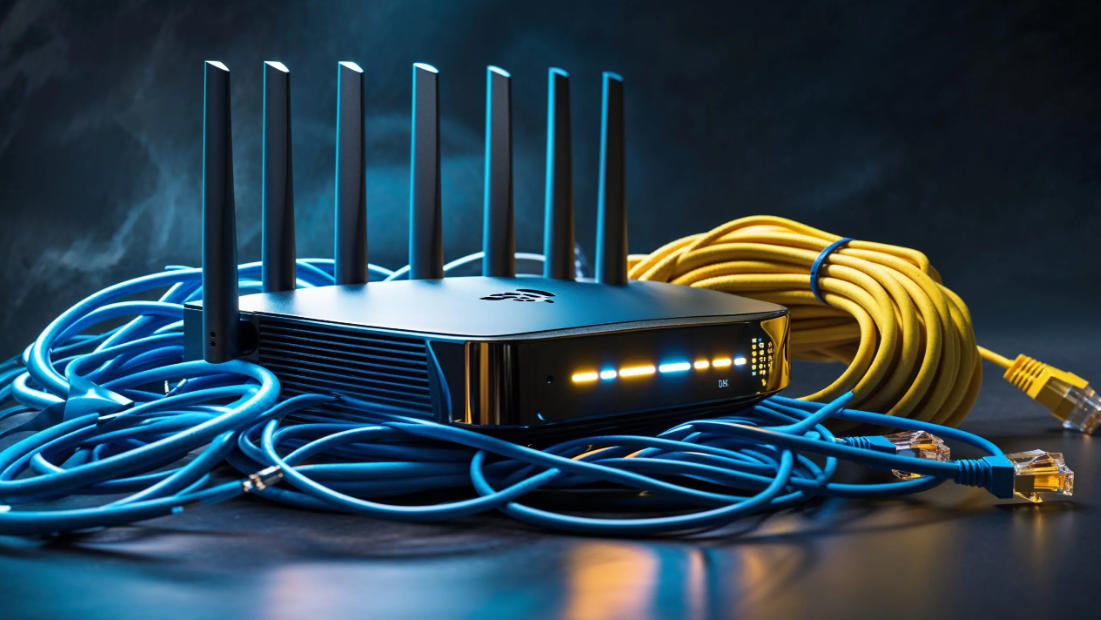
Real-World Applications of LAN Cables in 2026
LAN cables are used in a wide range of environments, from homes to large enterprises. Here are the most common applications in 2026, highlighting why wired connectivity remains essential:
1. Home Networks
In homes, LAN cables are used to connect desktop computers, gaming consoles (e.g., PlayStation 5, Xbox Series X), smart TVs, NAS drives, and routers. Gamers and streamers rely on LAN cables to get low latency and consistent speeds, while users with multiple devices benefit from the stable connection to avoid buffering and lag. Many modern homes also use LAN cables to create a “wired backbone” for Wi-Fi extenders, ensuring that the entire home has reliable internet access.
2. Office & Enterprise Networks
Offices and enterprises depend on LAN cables to connect workstations, servers, printers, and network switches. Cat6a and Cat7 cables are commonly used in large offices and data centers, where high-speed data transfer and minimal downtime are critical. LAN cables also support VoIP (Voice over Internet Protocol) phones, video conferencing systems, and cloud-based applications, ensuring that employees can work efficiently without connectivity issues. Additionally, the security of LAN cables makes them ideal for businesses handling sensitive data.
3. Industrial & Manufacturing Environments
In industrial settings (e.g., factories, warehouses), LAN cables are used to connect industrial machines, sensors, and control systems. STP cables are preferred here to resist EMI from machinery and power lines, ensuring that data is transmitted reliably. LAN cables support industrial IoT (Internet of Things) devices, allowing businesses to monitor and control equipment remotely, improve efficiency, and reduce downtime. For example, in a smart factory, LAN cables connect robots, sensors, and computers to a central network, enabling real-time data analysis and automation.
4. Data Centers & Server Rooms
Data centers are the backbone of the internet, and LAN cables are critical to their operation. Cat6a, Cat7, and Cat8 cables are used to connect servers, switches, and storage devices, supporting high-speed data transfer between equipment. Fiber optic LAN cables are also used in data centers for long-distance connections between server rooms, as they can transmit data over longer distances without signal degradation. The reliability and speed of LAN cables ensure that data centers can handle large volumes of traffic without downtime—something that wireless networks cannot match.
Common Myths About LAN Cables (Debunked)
There are several misconceptions about LAN cables that can lead users to make poor purchasing decisions. Here are the most common myths, debunked:
Myth 1: “All LAN cables are the same.”
False. LAN cables differ in category, shielding, conductor quality, and length—each factor affects performance. A Cat5e cable cannot support 10 Gbps speeds like a Cat6a cable, and a low-quality UTP cable may experience interference in a high-EMI environment. Choosing the right cable for your needs is critical to getting the best performance.
Myth 2: “Wireless is faster than LAN cables.”
False. While Wi-Fi 6E can reach theoretical speeds of up to 9.6 Gbps, this is only possible in ideal conditions (no interference, short distance). In real-world scenarios, Wi-Fi speeds are often much lower—while a Cat6a cable can consistently deliver 10 Gbps speeds at 100 meters. For most users, LAN cables are faster and more reliable than wireless.
Myth 3: “Longer LAN cables are better.”
False. LAN cables have a maximum effective distance—exceeding this distance leads to signal degradation, slower speeds, and packet loss. For example, a Cat5e cable longer than 100 meters will not support 1 Gbps speeds. Always choose a cable length that’s slightly longer than the distance between your devices, but avoid unnecessary length.
Myth 4: “Shielded cables are always better.”
False. STP cables are only necessary in high-interference environments (e.g., industrial settings). In homes and offices with minimal interference, UTP cables are cheaper, more flexible, and perform just as well. Using STP cables in a low-interference environment is a waste of money.
The Future of LAN Cables: What to Expect in 2026 & Beyond
While wireless technology continues to advance, LAN cables are not going anywhere—they are evolving to meet the growing demand for faster, more reliable connectivity. Here’s what to expect in the coming years:
1. Higher Speeds: New standards like Cat8.1 and Cat8.2 are being developed to support speeds of up to 200 Gbps, catering to the needs of data centers and supercomputers. These cables will feature improved shielding and conductor technology to handle higher bandwidths.
2. Fiber Optic Integration: Fiber optic LAN cables will become more common in homes and small offices as internet speeds increase. Fiber optics offer faster speeds, longer distances, and better anti-interference capabilities than copper cables, though they are currently more expensive.
3. Smart LAN Cables: Future LAN cables may include built-in sensors to monitor signal quality, temperature, and damage, allowing users to detect issues before they affect connectivity. This will be particularly useful in enterprise and industrial settings, where downtime is costly.
4. Eco-Friendly Materials: Manufacturers are increasingly using recycled materials to produce LAN cables, reducing their environmental impact. This trend will continue as sustainability becomes a priority for businesses and consumers.
Conclusion
LAN cables are the unsung heroes of modern networking, offering faster speeds, lower latency, greater security, and more reliability than wireless alternatives. Whether you’re a home user, small business owner, or IT professional, understanding the different types of LAN cables, their benefits, and how to choose the right one is critical to building a high-performance network. In 2026, as internet speeds continue to increase and devices become more data-hungry, LAN cables will remain an essential part of our connected lives—proving that “wired” is still the most reliable way to stay connected.
By choosing the right LAN cable for your needs, you can ensure that your network is fast, stable, and future-proof—whether you’re streaming 8K video, gaming online, or running a business. With the right knowledge and a quality cable, you can unlock the full potential of your internet connection and enjoy a seamless networking experience.
LAN Cable FAQ
1. What is the difference between a LAN cable and an Ethernet cable?
In most cases, there is no practical difference—these terms are used interchangeably. A LAN (Local Area Network) cable is a general term for any cable used to connect devices within a local network. An Ethernet cable is a specific type of LAN cable that uses the Ethernet standard (the most common networking standard for wired connections). All Ethernet cables are LAN cables, but not all LAN cables (e.g., older coaxial cables used in legacy networks) are Ethernet cables. Today, when people refer to a “LAN cable,” they almost always mean an Ethernet cable with RJ45 connectors.
2. Which LAN cable category should I choose for my home network?
The best category depends on your internet speed, device needs, and budget:
- Cat5e: Ideal for most homes with 1 Gbps or lower internet plans. Supports speeds up to 1 Gbps, is affordable, and works well for web browsing, HD streaming, and casual gaming.
- Cat6: A better choice if you have multiple devices (e.g., gaming consoles, 4K TVs, NAS drives) or plan to upgrade to a 10 Gbps internet plan in the future. Supports 10 Gbps speeds at short distances (up to 55 meters) and 1 Gbps at 100 meters.
- Cat6a: Recommended for larger homes (e.g., villas, multi-story buildings) or users who need 10 Gbps speeds at full 100-meter distances. It’s more durable and has better anti-interference capabilities than Cat6.
Cat7 and Cat8 are overkill for most home networks—they are designed for enterprise and industrial use.
3. How long can a LAN cable be before it stops working?
The maximum effective length depends on the cable category and desired speed:
- Cat5e, Cat6, Cat6a: 100 meters (328 feet) for 1 Gbps speeds. Beyond this distance, signal degradation occurs, leading to slower speeds, packet loss, or no connection.
- Cat6: 55 meters for 10 Gbps speeds (signal degrades beyond this length).
- Cat7, Cat8: 100 meters for 40 Gbps speeds; 30 meters for 100 Gbps speeds (Cat8 only).
If you need to cover distances longer than 100 meters, use a network switch or a fiber optic LAN cable (which can transmit data over much longer distances without degradation).
4. Are shielded (STP) LAN cables better than unshielded (UTP) ones?
It depends on your environment, not on “better” in a general sense:
- UTP (Unshielded Twisted Pair): Cheaper, more flexible, and sufficient for most homes and offices. They work well in low-interference environments (no nearby power lines, machinery, or other electronics that cause EMI).
- STP (Shielded Twisted Pair): Has a metal shield around the copper pairs to block electromagnetic interference (EMI) and crosstalk. Ideal for industrial settings, server rooms, or areas with high EMI (e.g., near power cables, factories). They are slightly more expensive and less flexible than UTP.
For most home users, UTP cables (e.g., Cat5e, Cat6) are more than enough.
5. Can a LAN cable improve my internet speed?
Yes—if your current connection is limited by Wi-Fi interference or distance. A LAN cable can help you achieve the full speed of your internet plan, whereas Wi-Fi often delivers slower speeds due to obstacles (walls, floors), interference (other Wi-Fi networks, Bluetooth devices), or distance from the router.
However, a LAN cable cannot exceed the speed of your internet plan. For example, if you have a 500 Mbps plan, a Cat5e cable (which supports 1 Gbps) will let you get the full 500 Mbps, but it won’t make your internet faster than what your ISP provides.
6. Why is my LAN cable not working? Common troubleshooting tips
If your LAN cable isn’t connecting or is delivering slow speeds, try these steps:
- Check the connections: Ensure both ends of the cable are fully plugged into the device (computer, router, switch) and that the RJ45 connectors are not damaged (bent pins, frayed wires).
- Test the cable: Try using a different LAN cable (known to work) to see if the issue is with the cable itself.
- Check the ports: Test the cable in a different network port (e.g., a different port on the router) to rule out a faulty port.
- Restart your devices: Reboot your router, switch, and computer—this often fixes temporary connectivity issues.
- Check for damage: Inspect the cable for cuts, frays, or kinks—damage to the sheath or conductors can disrupt signal transmission.
- Verify the cable category: Ensure the cable category supports your desired speed (e.g., a Cat5e cable can’t support 10 Gbps speeds).
7. Do LAN cables support PoE (Power over Ethernet)?
Yes—most modern LAN cables (Cat5e and above) support PoE, which allows power to be transmitted over the same cable as data. This is useful for devices like IP cameras, VoIP phones, and Wi-Fi extenders, which don’t have a separate power source.
PoE requires a PoE-enabled router, switch, or injector, and the cable must be rated for PoE (Cat5e or higher). Cat5e supports PoE (up to 15.4W), while Cat6 and above support PoE+ (up to 30W) and PoE++ (up to 60W) for power-hungry devices.
8. Is there a difference between “flat” and “round” LAN cables?
The main difference is physical design—performance is the same if they are the same category:
- Round LAN cables: More durable, flexible, and better at reducing crosstalk (due to tighter twisted pairs). They are ideal for permanent installations (e.g., running through walls, ceilings) and long cable runs.
- Flat LAN cables: Slimmer and easier to route under carpets, along baseboards, or in tight spaces. They are convenient for temporary setups (e.g., connecting a laptop to a router) but may be less durable than round cables over time.
9. Can I use a LAN cable to connect two computers directly?
Yes—but you may need a “crossover” LAN cable (or use a standard LAN cable with modern devices). Older computers (pre-2010) require a crossover cable, which swaps the transmit and receive pins to enable direct communication. Most modern computers, laptops, and routers have auto-MDI/MDI-X ports, which automatically detect the connection type and work with standard LAN cables (no crossover needed).
To connect two computers directly, plug one end of the cable into each computer’s Ethernet port, then configure the network settings (assign static IP addresses or use DHCP if supported) to enable file sharing and communication.
10. How often should I replace my LAN cables?
LAN cables are durable and can last 5–10 years or more if properly cared for. You should replace a LAN cable if:
- It is physically damaged (cuts, frays, bent pins, or a loose connector).
- It no longer supports your internet speed (e.g., you upgraded to a 10 Gbps plan but are using a Cat5e cable).
- You experience consistent connectivity issues (e.g., frequent disconnections, slow speeds) that are not fixed by troubleshooting.
- The cable is old (10+ years) and shows signs of wear (e.g., brittle sheath, discolored connectors).
11. Are fiber optic LAN cables better than copper LAN cables?
Fiber optic LAN cables have advantages over copper cables, but they are not better for all use cases:
- Advantages of fiber optic: Faster speeds (up to 100 Gbps+), longer distances (up to several kilometers), no EMI interference, and better security (harder to tap into).
- Disadvantages of fiber optic: More expensive, harder to install (requires specialized tools), and less flexible than copper cables. They also require fiber-compatible devices (e.g., fiber routers, switches).
Fiber optic cables are ideal for data centers, large enterprises, and homes with ultra-high-speed internet plans (10 Gbps+). Copper cables (Cat5e, Cat6, Cat6a) are better for most homes and small offices due to their affordability and ease of use.
12. Can I use a LAN cable with Wi-Fi extenders or mesh systems?
Yes—using a LAN cable to connect a Wi-Fi extender or mesh node to your router (called a “wired backhaul”) significantly improves performance. A wired backhaul eliminates the speed loss that occurs with wireless backhaul (where the extender/mesh node connects to the router via Wi-Fi), ensuring that the extender delivers the full speed of your internet plan.
Most modern Wi-Fi extenders and mesh systems have Ethernet ports for wired backhaul—simply plug one end of the LAN cable into the router and the other into the extender/mesh node.
13. What is the maximum speed a LAN cable can support?
The maximum speed depends on the cable category:
- Cat5e: Up to 1 Gbps
- Cat6: Up to 10 Gbps (55 meters) / 1 Gbps (100 meters)
- Cat6a: Up to 10 Gbps (100 meters)
- Cat7: Up to 40 Gbps (100 meters)
- Cat8: Up to 40 Gbps (100 meters) / 100 Gbps (30 meters)
Keep in mind that the actual speed you get also depends on your internet plan, router, and connected devices—your LAN cable can’t deliver faster speeds than your ISP provides.
14. Are there any safety risks with LAN cables?
LAN cables are generally safe—they carry low-voltage signals (typically 5V or less) and pose no electric shock risk. However, there are a few safety considerations:
- Avoid running LAN cables near power lines (high-voltage cables) to prevent interference and potential damage to the cable.
- Do not route LAN cables in areas where they can be tripped over (e.g., walkways) or damaged by heavy furniture.
- Use flame-retardant cables for installations in walls or ceilings (required by most building codes) to reduce fire risk.
15. Can I cut and splice a LAN cable to make it shorter or longer?
While it is possible to cut and splice a LAN cable (using a junction box or crimping new connectors), it is not recommended for most users. Splicing can degrade signal quality, increase crosstalk, and lead to connectivity issues—especially for high-speed cables (Cat6 and above). It’s better to purchase a cable of the correct length or use a network switch to extend the connection.
If you must splice a cable, use high-quality connectors and tools, and test the cable thoroughly after splicing to ensure it works properly.